How I Built Ocala Pet Retreat's Website Using AI and Stitch
One of my favorite recent projects was building the website for Ocala Pet Retreat, a boutique, cage-free pet boarding home in Ocala, Florida. This was not a massive enterprise project. It was a small business that needed a beautiful, functional site that could take bookings and showcase what makes them different.
What made this project interesting was how I built it: almost entirely with AI tools. Here is the real process, what worked, and where I still had to step in.
Starting with Google Stitch: Design Before Code
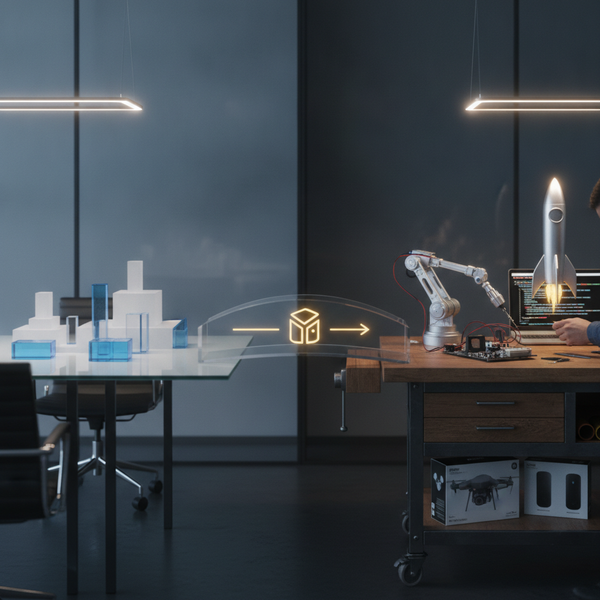
Before writing a single line of code, I used Google Stitch to design the UI. Stitch is a design-to-code tool that lets you create visual mockups and generate working frontend code from them.
For Ocala Pet Retreat, I used Stitch to explore different layout directions. I designed the hero section, services grid, testimonial cards, and gallery layout as visual screens first. Stitch let me iterate on the aesthetic quickly without touching code. Once I had a direction that felt right, Stitch generated React components I could work with.
The advantage? I could show the client real visual options before committing to implementation. Design decisions happened in Stitch, engineering decisions happened in my editor. Clean separation.
Scaffolding with Google AI Studio
The initial project scaffold came from Google AI Studio. The app was generated as a Next.js project with a Gemini API integration baked in. This gave me a working foundation with the folder structure, configuration, and deployment setup already in place.
From there, I customized heavily. The AI Studio scaffold handled the boilerplate. I handled the business logic, design system, and integrations.
The Tech Stack
Here is what the final site runs on:
- Next.js 15 with App Router for server-side rendering and routing
- Tailwind CSS 4 for styling with a custom design system (warm earth tones, Playfair Display serif headings, Inter body text)
- Motion (Framer Motion) for smooth page animations and micro-interactions
- Stripe for payment processing on the booking flow
- Resend for transactional emails (booking confirmations, contact form notifications)
- Ghost CMS as a headless blog via the Content API
- Firebase App Hosting for deployment with zero-config SSL and CDN
The site is a single-page landing experience with dedicated routes for /about, /book, /gallery, and /success. Each page is composed of focused React components: Hero, Pillars, Services, HowItWorks, Catio (their enclosed cat patio feature), Capacity, Testimonials, Gallery, CTA, and Footer.
The Design: Warm, Boutique, and Trustworthy
Pet boarding sites tend to look either too clinical or too childish. I wanted something in between: warm, professional, and trustworthy. The kind of site where a pet owner thinks "okay, my dog will be safe here."
Key design decisions:
- Serif headings (Playfair Display) paired with clean sans-serif body text (Inter). This gives a boutique feel without being stuffy.
- Warm earth tones with accent colors that feel organic and calming.
- Dark mode support via a custom ThemeProvider. Not every small business site needs dark mode, but it was easy to add and some pet owners browse at night (probably while their cat is judging them).
- Hero illustration instead of a stock photo. AI-generated illustration of pet sitters in a cozy living room with pets. Feels personal, not generic.
The AI-Assisted Workflow
Let me be honest about what AI actually handled versus what I did manually:
AI handled well:
- Initial visual design exploration in Stitch (fast iteration on layouts)
- Project scaffolding via AI Studio (saved hours of boilerplate)
- Hero illustration generation (custom art instead of stock photos)
- Content first drafts for some sections
- Component structure suggestions
I handled manually:
- Design system refinement (color palette, typography scale, spacing)
- Stripe integration and booking flow logic
- Email notification setup with Resend
- Ghost CMS integration for the blog section
- Firebase App Hosting configuration and deployment
- Responsive polish (AI-generated layouts often need mobile adjustments)
- Accessibility checks and semantic HTML cleanup
The split was roughly 40% AI-assisted, 60% manual engineering. AI accelerated the start, but the polish and integrations required engineering judgment.
Deployment: Firebase App Hosting
I deployed on Firebase App Hosting, which is Google's managed hosting for Next.js apps. The setup is minimal: an apphosting.yaml config with environment variables for Resend, Ghost, and Stripe secrets, plus resource limits (2 max instances, 80 concurrency).
The deployment pipeline is git-push based. Push to main, Firebase builds and deploys. No Docker containers, no CI/CD pipelines to maintain. For a small business site, this is exactly the right level of infrastructure.
What I Learned
Stitch is great for exploration, not pixel-perfect handoff. The designs evolved as I coded. Stitch gave me a direction and generated useful starting components, but I refined everything in code.
AI scaffolds save hours, not days. The AI Studio foundation was a genuine time-saver for project setup. But the real work, the integrations, the booking flow, the design polish, that is still engineering.
Small business sites benefit most from AI tooling. For a site this size, the AI acceleration is proportionally huge. What might have been a 40-hour project became roughly 25 hours. For a small business client, that savings translates directly to a more affordable project.
Quality depends on your taste, not the AI's. AI tools generate options. Your job as the developer is knowing which options are good and which need to be thrown away. The pet owner does not care how you built it. They care that it looks trustworthy and the booking works.
Need a beautiful, functional website for your business? I build modern sites using the latest AI tools and frameworks. Let us talk about your project.